Realtime vitality check
Detect downtime
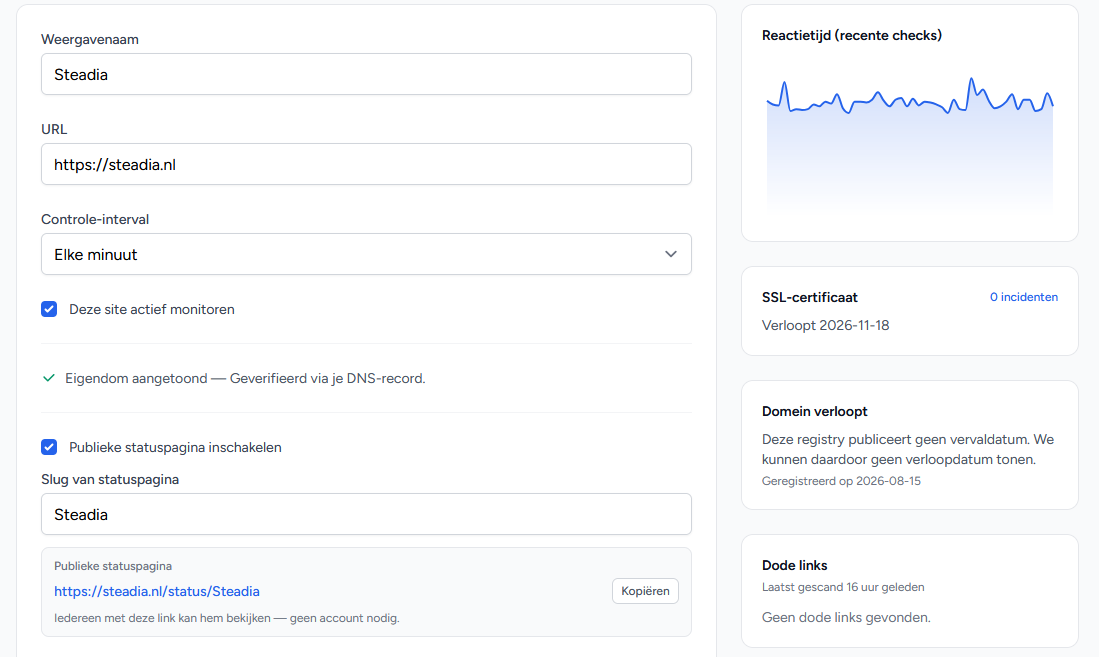
We fetch your site from our servers every minute and read what comes back. Not just whether there is an answer, but whether the page actually works — because a website with a database error still returns a perfectly polite HTTP 200.
No credit card needed. One site free, forever.
- Fastest check interval
- 1 minFastest check interval
- Pages per link scan
- 500Pages per link scan
- History kept
- 90 daysHistory kept
More than a ping
Why HTTP 200 tells you nothing
Most outages look fine from outside. Your server is up, nginx answers, the status code is 200 — and anyone opening the page sees a white screen reading "Error establishing a database connection" or one of the many other common errors. A monitor that only checks the status code reports nothing. Ours reports it.
We read what actually comes back and recognise the errors a site produces while technically still alive:
- PHP errors printed at the top of your page: Fatal error, Parse error, Uncaught Error.
- The WordPress notice “There has been a critical error on this website”, which comes back with a perfectly polite HTTP 200.
- Any status from 400 up, including the 500 a visitor sees as a broken page.
- Keyword checks: told the moment a piece of text disappears from your page — or appears where it should not, like an error message or an out-of-stock notice.
Active alerts
One message when it breaks, one when it is back
An outage is recorded as an event, with a start, an end and a duration. You hear about it once when it breaks and once when it works again.
- Alerts by email, including to colleagues you add yourself.
- Told when your site is slow as well, against a threshold you set per site.
- An optional weekly summary in your inbox with uptime and incidents per site.
- Every outage stays in your history, for reporting over time.
Looking ahead
The outages you could have seen coming months ago
Two of the most common failures are not outages at all but a forgotten expiration date for your SSL certificate or domain name. We watch both, and scan up to 500 pages of your site for links that no longer go anywhere.
- SSL certificate: told as soon as it expires within fourteen days.
- Domain name: told as soon as it expires within thirty days, asked of the registry itself. This sadly does not work for .nl domain names.
- Dead links: a recurring scan of your pages, with every URL that returns an error.
- Cookie watch from Pro up: told when your site starts loading something new from a third party, or your cookie banner stops working.
Your customers
A status page that saves you the phone call
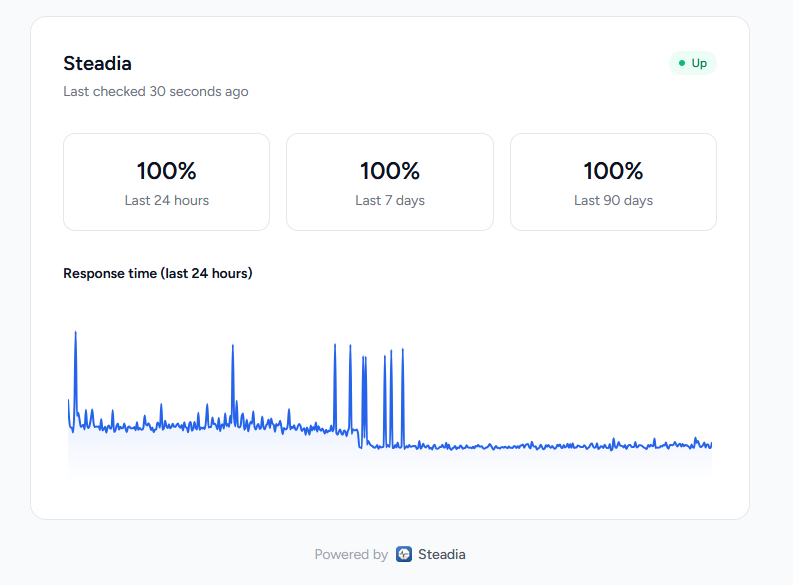
Every site can have a public address where visitors see for themselves whether something is wrong: the current status, when it was last checked, and how response times have moved.
On the heavier plans you put your own logo and colour on it, and can take our name off entirely — useful when you run sites for clients.
Frequently asked
What people ask us
How quickly do I know my site is down?
Will I get an email for every blip?
What actually counts as “down”?
What if my site works but is slow?
Do I have to install anything on my website?
Why do I have to prove the site is mine?
Can colleagues be alerted too?
Can I start without paying?
Not the question you had? Ask us.
Monitor your first website
You can start free with one site and a daily check. Want to look more often, or watch more sites, and you move up later without losing anything.
No credit card needed. One site free, forever.